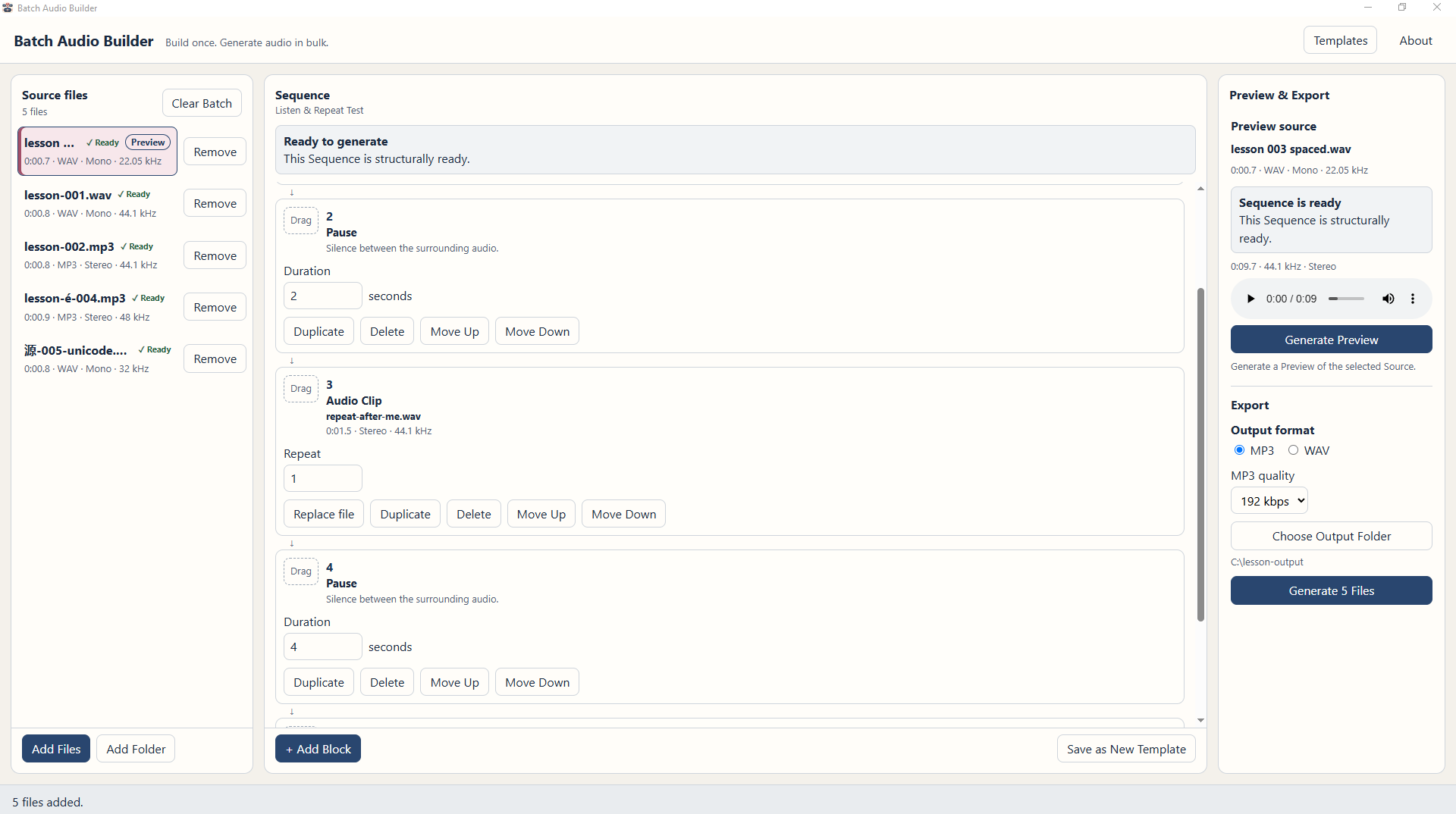
One sequence for every recording
Arrange Source, shared Audio Clip and Pause blocks, with repeats, then apply that structure separately to every imported Source.

Audio utility · Windows
Build once. Generate audio in bulk. Create a reusable pattern of recordings, pauses, shared audio clips and repeats, then apply it to a whole batch of sources.
A reusable batch workflow
Workflow illustration · not a product screenshot
The problem
If you're assembling repeated vocabulary drills, pronunciation practice or instructional clips, the same pauses, prompts and repeats can become time-consuming. Batch Audio Builder lets you design that pattern once and reuse it across your recordings.
Inside the app
Source files, your reusable sequence, and Preview & Export in one workspace.
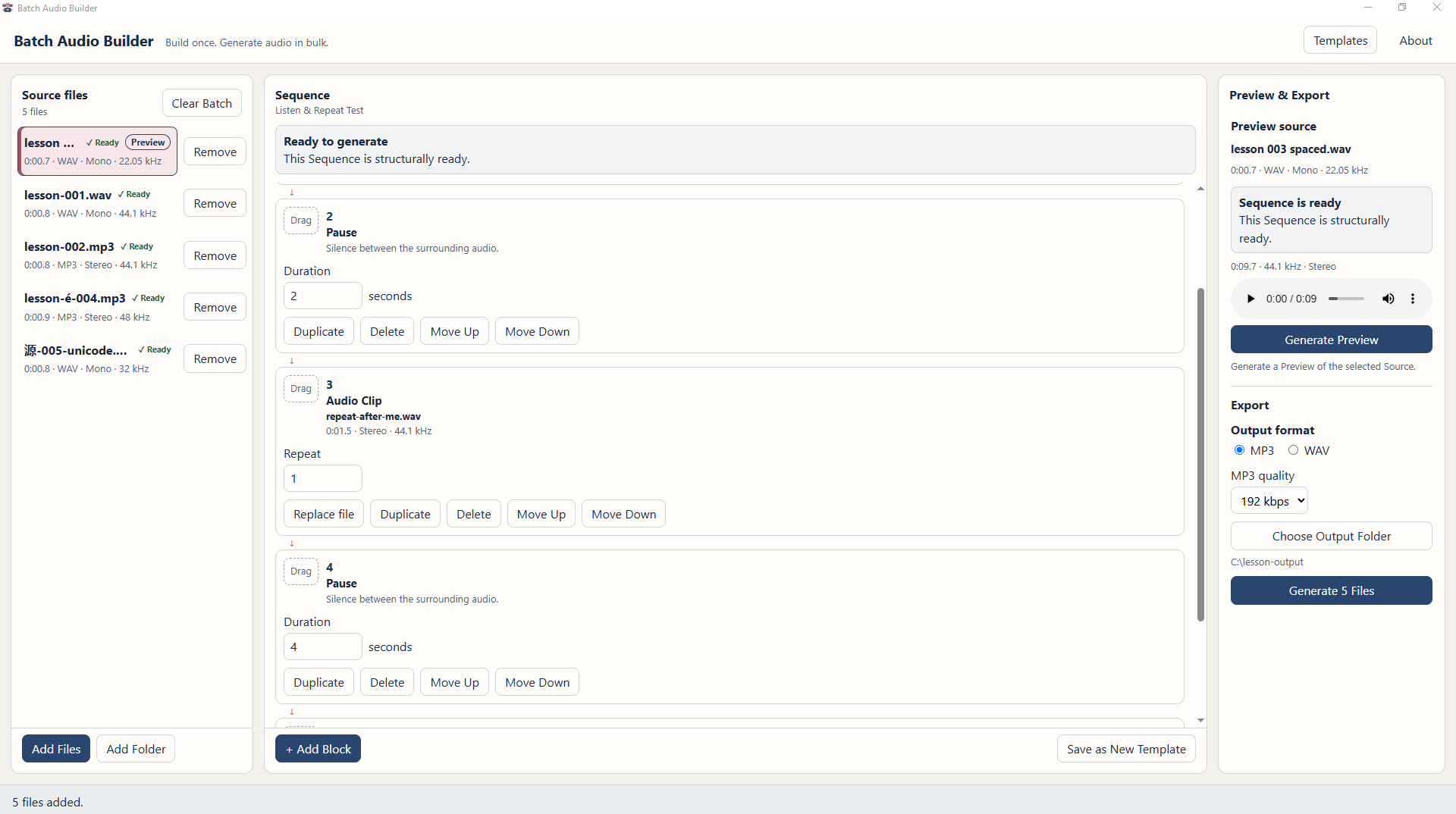
Actual Windows application screenshot
Open full-size image: Batch Audio Builder on Windows, with Source files, Pause and Audio Clip blocks in the Sequence editor, and Preview & Export controls.This example shows five sources and a five-file export action. The Free Demo is limited to three generated output files per operation; Preview and exports are audibly watermarked.
Key features
A focused batch workflow rather than a general-purpose waveform editor.
Arrange Source, shared Audio Clip and Pause blocks, with repeats, then apply that structure separately to every imported Source.
Generate a separate WAV or MP3 file for each Source instead of rebuilding the same track over and over.
Save a sequence as a Template and bring it back for the next lesson, batch or project.
Listen to a selected Source through the sequence before starting your batch generation.
Insert your own spoken prompts, introductions or other WAV/MP3 Audio Clips into each generated track.
Your recordings stay on your computer. No app account, subscription, cloud processing or usage credits are required.
At a glance
Before installing
FAQ
It applies one sequence to each imported Source and exports a separate WAV or MP3 file per successfully processed Source. It does not join your entire folder into one long recording.
Yes. For example, combine each vocabulary recording with timed pauses, your own prerecorded 'repeat after me' prompt, and repeats, then export one practice track per word.
The Free Demo lets you try the workflow without a time limit, but Preview and exports have an audible watermark and each generation is limited to three output files. The Full Edition produces clean audio at normal supported batch capacity.
No. It assembles audio you supply. It does not create speech, record audio, repair waveforms or normalize loudness.
No. Audio processing takes place locally in the Windows app, which works offline after installation. Gumroad handles the separate online purchase and download process.
Yes. The editions install separately. On a first Full launch with no existing Full database, you can optionally copy Demo Templates and workspace. Any existing Demo exports stay watermarked, so export them again with Full for clean audio.
No. The download contains the Windows application and supporting documentation. Any included FFmpeg/LAME source and compliance archive covers those third-party audio tools, not Batch Audio Builder's application source code.
Visit Gumroad to choose your edition and download Batch Audio Builder for Windows.